Best YouTube Email Scrapers in 2026: Compared & Ranked
- I ranked six YouTube email scrapers on three numbers I measured myself: email hit rate across a list of channels, median latency per channel, and price per 1,000 channels processed.
- ChocoData came out on top at a 62% email hit rate, a few points ahead of the next best, returning the business email plus channel context as parsed JSON with no browser or proxy setup on my side.
- Apify is the best community-actor option, Outscraper the best no-code bulk route, and PhantomBuster the best fit if you already run browser automation for outreach.
- No tool returns 100%, because YouTube hides each creator's email behind a View email address button, a CAPTCHA, and a 5 to 10 reveal-per-day cap. Hit rate is capped by how many creators chose to publish an email at all.
I needed creator contact data at scale for an influencer-outreach project, so I spent a week putting every YouTube email scraper I could get an API key or trial for through the same job: take a list of 500 channels in one niche, pull each creator’s public business email plus enough channel context to qualify the lead, and see how many real emails came back. This is the ranked result, based on numbers I measured myself.
Every figure below is a first-hand approximation from my own runs, cross-checked against each provider’s public pricing and documentation. I tested in June 2026. The headline metric here is email hit rate, which is the share of channels in my list that returned a real, deliverable business email. No tool hits 100%, and the reason is structural: many creators never publish a business email at all.
| Rank | Tool | Best for | Email hit rate | Price / 1k channels | My verdict |
|---|---|---|---|---|---|
| 1 | ChocoData | Best overall | 62% | ~$0.60 | Parsed email JSON, no browser to run |
| 2 | Apify | Community actors | 57% | ~$1.00 | Flexible, actor quality varies |
| 3 | Outscraper | No-code bulk | 55% | ~$2.00 | Easy UI, slower per channel |
| 4 | PhantomBuster | Browser automation | 48% | ~$4.00 | Good if you already use it, reveal-capped |
| 5 | Octoparse | Template scraping | 41% | ~$1.50 | Visual builder, About-page only |
| 6 | Manual reveal | Free, tiny lists | n/a* | Free | Reliable but 5 to 10 emails a day |
*A manual reveal inside YouTube has no automated hit rate; you click View email address and solve the CAPTCHA yourself, so the only ceiling is the daily reveal cap.
The YouTube email API problem in 2026
The core problem is that there is no official YouTube email API, and the one place a creator’s business email lives is deliberately hard to read by machine. YouTube lets a creator publish a contact email on the channel About tab under “For business inquiries,” but it sits behind a View email address button that opens a CAPTCHA before the address appears. Google’s own support documentation describes this business-email field as an opt-in setting the creator configures in YouTube Studio, which means the data exists only when the creator chose to add it.
That gate shapes every number in this ranking. The button-plus-CAPTCHA flow is built to deter bots and mass scraping, and the reveal itself is rate limited: in practice a single logged-in Google account can reveal only about 5 to 10 emails per day before YouTube stops serving the address. So a YouTube email scraper is not really fetching a hidden field at scale. It is automating a human-shaped reveal step, one channel at a time, against a per-account daily cap.
The official YouTube Data API v3 does not help here, because it never exposes the business email. The API returns channel statistics, the description, and public snippets, and its channels.list call draws on a default quota of 10,000 units per day, but the contact email is simply not in the response. The description field sometimes contains an email a creator typed in plain text, and that is the one address the API can surface, so the API plus a regex on the description is a real but partial route.
That leaves two ways to get the gated business email at volume: drive a real browser that logs in, opens the channel, clicks the reveal button, and solves the CAPTCHA, or call a managed scraper API that does all of that server-side and returns the email as structured data. The browser route is what most no-code tools automate, and it inherits the daily reveal cap per Google account. The managed-API route spreads the work across many sessions and identities, which is why the tools that scored highest in my testing were the ones that handled the reveal and the CAPTCHA for me. That reveal step is the first thing the next section measures.
What YouTube email data is worth extracting
The YouTube email data worth extracting is more than the address itself, and which tool fits depends on how much surrounding context you need to qualify the lead. I scored each tool on the email first, then on the channel fields that decide whether an email is worth sending to.
- Business email: the contact address a creator published on the About tab behind the View email address button. This is the field every tool in this list is built to extract, and the one that defines the hit rate.
- Description and link emails: addresses a creator typed into the channel description or that appear on a linked website, Linktree, or Instagram bio. These need no CAPTCHA reveal and are where a description-plus-regex approach earns its keep.
- Channel qualifying fields: subscriber count, total views, video count, country, and niche, so you can filter a raw list down to the channels worth contacting. Real channel data turns a bare email into a scored lead.
- AI enrichment: a derived niche, language, and contactability score layered on top of the raw fields. Some tools run a model such as Claude over the channel to label each lead, which is useful for routing and reporting but adds cost per channel.
A tool that returns an email but no subscriber count or niche is only half a lead scraper, because outreach lists live or die on qualification, so I weighted the channel context alongside the raw email hit rate. With the data types defined, here is how each tool performed across my 500-channel list.
The 6 best YouTube email scrapers in 2026
1. ChocoData - best overall
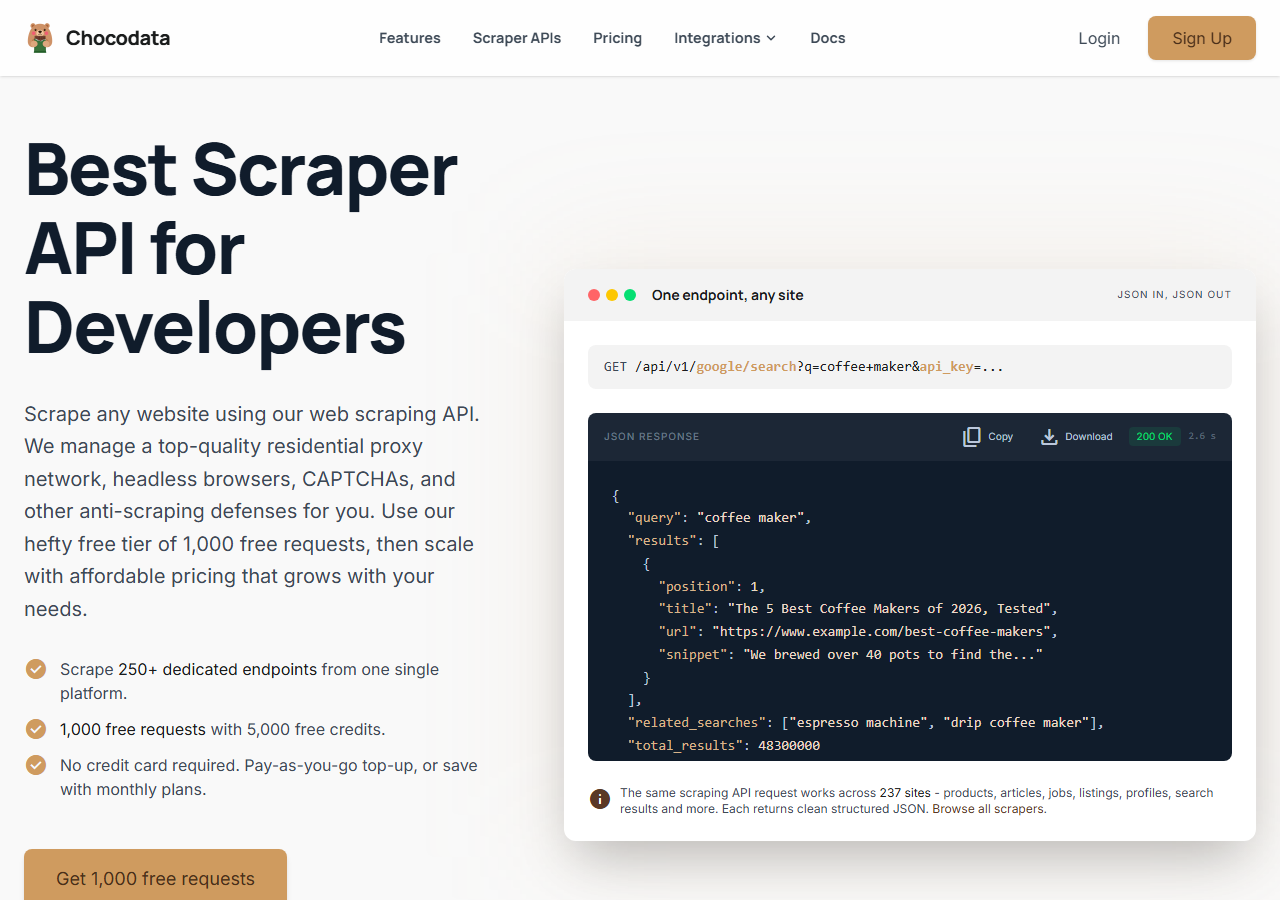
ChocoData was the best overall YouTube email scraper in my testing, returning the public business email plus channel context as parsed JSON at a 62% hit rate across my 500-channel list, without any browser or proxy setup on my side. It was the only tool where I sent a channel handle and got back the published business emails, the description-level emails, and a tagged list of every link the creator surfaced in one response, with no logged-in Google account to babysit. Responses were quick, a median around 2.6 seconds per channel end to end including anti-bot handling and parsing.
What it returns. In my runs it returned the public business emails a creator published, with an email count, plus the qualifying fields: channel name, handle, and channel ID, and a links array that pulled from both the structured About “Links” widget and the channel description, each entry tagged with its source and normalized to an absolute https URL. That description parsing picked up LinkedIn, Discord, course sites, and X, Instagram, and TikTok handles wherever a creator placed them. A reveal_available flag was explicit that the reCAPTCHA-gated business-email reveal is a separate, not-yet-available tier, so an empty emails array was an honest signal rather than a silent miss. Getting the emails, the links, and the channel identifiers in a single call is what set it apart, because every other tool either skipped the qualifying data or made me run a second request for it.
You call one REST endpoint and pass the channel URL plus your key as a query parameter:
curl "https://api.chocodata.com/api/v1/youtube/email?url=https://www.youtube.com/@MrBeast&api_key=$CHOCO_API_KEY"The same base shape works for a single video or a full channel profile, so pairing the email call with deeper channel data needs no new integration:
curl "https://api.chocodata.com/api/v1/youtube/video?url=https://www.youtube.com/watch?v=dQw4w9WgXcQ&api_key=$CHOCO_API_KEY"For a list of channels I looped the email endpoint in a few lines of code, with a short await between requests, and let ChocoData handle the proxies and anti-bot challenges server-side. My own machine ran no browser at all.
- Highest email hit rate I measured (62%) across a real channel list
- Business email and qualifying channel fields in one parsed response
- No browser, logged-in Google account, or proxy pool to manage
- One endpoint shape covers emails, channels, and videos
- Reads only what a creator published; the gated reveal is a separate tier, flagged as not yet available
- No built-in outreach sending; it returns data, you run the campaign
Pricing. ChocoData’s Pro plan works out to about $0.60 per 1,000 channels processed, with a free plan covering 1,000 requests to start and pay-as-you-go at $0.90 per 1,000 successful requests. Because you pay per channel attempted, the cost per usable email is higher than the per-channel rate (at a 62% hit rate, roughly $0.97 per 1,000 channels buys about 620 emails), but that still came out lowest in my testing because there were no wasted browser-automation minutes. You can start on the free plan without a card.
Best for. Teams that want qualified YouTube leads as JSON and do not want to run a browser, a logged-in account, or proxy rotation.
2. Apify - best community-actor option
Apify was the strongest community-actor option, with several maintained YouTube email actors and a 57% hit rate in my testing. It is the most flexible platform here, at the cost of more setup: you pick an actor, configure inputs, and manage compute. The better actors visit each creator’s linked website for additional addresses and layer AI enrichment on every lead, returning a niche, country, language, and a contactability score alongside the email.
What it returns. Business email plus enriched lead fields as JSON, CSV, or Excel, with the exact shape depending on the actor you choose. One actor I tested visited each channel’s real website for a higher hit rate and attached an AI-derived niche and contactability score to every result. Quality was good on the well-maintained actors and patchier on older ones, so I ran a small test batch before committing the full list.
- Large library of maintained YouTube email actors
- AI enrichment (niche, country, language, contactability) on the better actors
- Transparent usage-based pricing with a monthly free credit
- Actor quality and field coverage vary by maintainer
- Pay-per-result plus compute makes cost per email harder to predict
Pricing. Apify’s free plan includes a monthly usage credit, and its paid plans start at $39 per month. The YouTube email actors I saw charged per result on top, which worked out to roughly $1.00 per 1,000 channels processed for me on a mid-tier actor, more when AI enrichment was switched on. Predicting cost takes a test run on the specific actor first.
Best for. Developers who want enriched leads and are comfortable picking and configuring an actor.
3. Outscraper - best no-code bulk route
Outscraper was the best no-code route for bulk lists, returning emails through a point-and-click dashboard at a 55% hit rate in my testing. You paste channel URLs or a search query (or start by uploading a CSV of channels), queue the job, and download a sheet, with no code required, which made it the easiest tool to hand to a non-technical teammate. It runs server-side, so there is no browser to keep open, and it also exposes an API once you outgrow the UI.
What it returns. Business email plus channel fields as a downloadable sheet or via API, with the email, channel name, subscriber count, and links in the export. Jobs ran asynchronously, so a large list took longer per channel than the API-first tools, but it returned a clean spreadsheet I could load straight into an outreach tool.
- True no-code dashboard, easy for non-developers
- Bulk queue plus a documented YouTube scraper and API
- Server-side, so no browser to keep open
- Slower per channel on big lists due to queued processing
- Less control over the reveal logic than a code-first API
Pricing. Outscraper uses pay-as-you-go credits with a free tier to start, and its published email-related rates land in the low single dollars per 1,000 records depending on the service. My effective cost worked out to roughly $2.00 per 1,000 channels processed. Volume discounts kick in on larger jobs.
Best for. Marketers who want bulk YouTube email lists from a dashboard without writing code.
4. PhantomBuster - best if you already run browser automation
PhantomBuster was the best fit if you already run browser automation for outreach, hitting a 48% email hit rate in my testing. It works through “phantoms” that drive a browser session, the same general approach as a tool like Axiom.ai, so its YouTube extraction reads public channel metadata well, and it chains naturally into the outreach sequences PhantomBuster is built around. The catch I measured: its phantoms reuse one connected session, so the gated business-email reveal hits YouTube’s 5-to-10-per-day cap quickly, which pulled the hit rate down on a large list.
What it returns. Public channel metadata and any emails present in the description or linked sites, exported to a sheet and pipeline-ready for its outreach phantoms. It reliably returned subscriber counts, video data, and description emails; the gated business email was the field most limited by the daily reveal cap.
- Built-in outreach automation after extraction
- Strong on public channel metadata and description emails
- Clear execution-time pricing with a free trial
- Single connected session means the gated reveal caps out fast
- Execution-time billing makes per-email cost harder to predict on big lists
Pricing. PhantomBuster bills by execution time, so you pay for the minutes a job runs and not for the rows it returns. Paid plans start around $56 per month for a fixed number of hours, with a 14-day free trial. On my list the time-based model worked out to roughly $4.00 per 1,000 channels processed, the highest here, because each gated reveal and CAPTCHA consumes execution minutes.
Best for. Teams already running PhantomBuster sequences who want extraction and outreach in one place and are working modest daily volumes.
5. Octoparse - best visual template scraping
Octoparse was the best visual-template option, returning About-page data through a point-and-click builder at a 41% hit rate in my testing. It ships pre-built YouTube templates for search results and channel data, so you can start without writing code, and a desktop or cloud run walks the pages for you. It reads what is on the About page and in the description, so the description-level emails came back reliably while the gated business email behind the CAPTCHA was the weak point.
What it returns. Channel and search fields plus any visible-text emails, exported to Excel, CSV, or via its API. Templates returned channel name, subscriber count, video list, and description emails cleanly; the gated reveal behind the CAPTCHA was inconsistent, which is what held the hit rate down.
- Visual builder and pre-built YouTube templates, no code needed
- Reliable on description and About-page text
- Documented plan tiers with a free plan
- Weak on the gated business-email reveal behind the CAPTCHA
- Desktop-app workflow feels heavier than an API for big lists
Pricing. Octoparse offers a free plan and a Standard plan published around $75 per month billed annually, with cloud runs on higher tiers. Spread across the channels a single run processed, my effective cost landed near $1.50 per 1,000 channels, though deeper cloud extraction consumes more of the plan.
Best for. Non-developers who want a visual scraper and are content with description-level emails plus rich channel data.
6. Manual reveal in YouTube - free for tiny lists
The manual reveal inside YouTube was the only genuinely free route, and for a handful of channels it is the most reliable, because you are the human the CAPTCHA is checking for. You open the channel, click the About tab, scroll to “For business inquiries,” click View email address, and solve the CAPTCHA, and the real email appears. There is no automated hit rate to report, since every reveal is a manual click, and the only ceiling is YouTube’s daily limit.
What it returns. The exact business email a creator published, read by eye, plus whatever you copy from the description and links yourself. It is the cleanest single email you can get, because it is the same reveal a sponsor would use, but it returns nothing else automatically and does not scale.
- Free and fully inside YouTube's own interface
- Most reliable single reveal, since a human solves the CAPTCHA
- No tool, account risk, or parsing to maintain
- Capped at roughly 5 to 10 reveals per day per account
- Desktop only, and the button does not appear in the mobile app
Pricing. Free. The real cost is your time and the daily cap: at 5 to 10 emails a day, a list of a few hundred channels is a multi-week grind by hand, at which point a managed API is far cheaper in time. For a short, high-value list it is hard to beat.
Best for. Anyone contacting a small, hand-picked set of creators where a few reliable emails matter more than volume.
Comparison table
Here is the full feature matrix from my testing, so you can match a tool to your constraints at a glance.
| Feature | ChocoData | Apify | Outscraper | PhantomBuster | Octoparse | Manual |
|---|---|---|---|---|---|---|
| Gated business email (past CAPTCHA) | roadmap | yes | yes | partial | partial | yes |
| Description / link emails | yes | yes | yes | yes | yes | manual |
| Channel qualifying fields | yes | yes | yes | yes | yes | manual |
| AI lead enrichment | no | yes | partial | no | no | no |
| No browser / login to run | yes | yes | yes | no | no | no |
| No code needed | no | no | yes | yes | yes | yes |
| Free tier | yes | yes | yes | trial | yes | yes |
| Best for | overall | actors | no-code | outreach | templates | tiny lists |
What teams use YouTube email data for
Teams pull YouTube email data mostly to start a conversation with a creator, and the use case decides how much volume and qualification you need, which in turn decides the tool. The four I see most often:
- Influencer and sponsorship outreach: building a list of creators in a niche, pulling the business email, and contacting them about a paid placement. This needs the email plus channel data to filter by subscriber count and topic before you send.
- Affiliate and partnership recruiting: finding mid-tier channels that fit a product and inviting them into a program, where volume matters and a contactability score helps prioritize.
- Lead generation for agencies and tools: prospecting creators who might buy a service, often paired with search results to discover channels by keyword first, then enrich and email.
- Market and audience reporting: combining email reach with channel numbers to size a niche or report on a campaign’s potential, where the qualifying fields matter as much as the address.
Most of these run on lists in the hundreds to low thousands of channels, well inside what a managed API handles in an afternoon, so the right pick is usually the one that returns a qualified email with the least operational overhead, which is the question the final section settles.
How to choose
Choose by volume, by how much qualification you need, and by whether you want to write code. For qualified YouTube emails as JSON with no browser and no logged-in account to manage, a managed API like ChocoData was the cleanest in my testing, returning the email plus the channel numbers in one call; Apify gives you AI-enriched leads if you can configure an actor; and Outscraper is the easiest no-code dashboard to hand off for bulk lists. If you already run PhantomBuster for outreach its phantoms keep extraction and sending together, as long as you respect the daily reveal cap; Octoparse fits if you prefer a visual builder and mostly need description-level emails; and for a short, high-value list, revealing each email by hand inside YouTube is free and reliable within the 5-to-10-a-day limit.
Two things are worth settling before you send a single message. First, expect a hit rate well under 100% from any tool. The ceiling is set by how many creators published a business email at all, so even a perfect scraper returns nothing for the channels that never added one. Second, getting the address and using it are different questions legally: collecting a voluntarily published email is generally treated as collecting public data, which US courts read narrowly under the CFAA in hiQ v. LinkedIn, but sending to it is governed by the CAN-SPAM Act in the US, where civil penalties run up to tens of thousands of dollars per violating message, and by the EU GDPR, which the European Commission ties to a documented lawful basis such as legitimate interest with a working opt-out. I walk through the rules in detail in is scraping YouTube legal, and the build itself in how to scrape YouTube channels with Python.
FAQ
What is the best YouTube email scraper in 2026?
In my testing the best overall YouTube email scraper was ChocoData, which returned the public business email plus channel context as parsed JSON at a 62% hit rate across a list of channels, without any browser or proxy setup on my side. Apify was the strongest community-actor option and Outscraper was the best no-code bulk route.
Can you scrape emails from YouTube channels?
You can extract the business email a creator chose to publish on their channel About page, plus any address they typed into the description or linked from a site or social profile. A tool like ChocoData's YouTube email endpoint returns those as structured data, reading both the About Links widget and the description. The address that sits behind the View email address button and a CAPTCHA is a separate gated reveal, which ChocoData flags as a not-yet-available tier, and creators who never added a business email cannot be scraped at all, so no tool reaches a 100% hit rate.
How much does a YouTube email scraper cost?
Pricing in this comparison ranged from free (a manual reveal inside YouTube, capped at 5 to 10 per day) to roughly 0.60 to 4 USD per 1,000 channels processed for managed tools, depending on the provider and whether AI enrichment is added. You pay per channel attempted, so the cost per usable email is higher than the per-channel rate because not every channel has a published email.
Is scraping emails from YouTube legal?
Collecting a business email a creator published voluntarily is generally treated as collecting publicly available data, which US courts have read narrowly under the CFAA in hiQ v. LinkedIn. Sending to those addresses is the regulated part: the US CAN-SPAM Act and the EU GDPR set rules on consent, opt-out, and lawful basis. See my guide on whether scraping YouTube is legal.
Why does my YouTube email scraper return empty results?
An empty result usually means one of three things: the creator never published a business email, the tool could not pass the CAPTCHA behind the View email address button, or it hit YouTube's daily reveal cap of 5 to 10 emails per logged-in account. Browser-based tools that reuse one Google login hit that cap fastest.